Consolidated Search Hub
Save listings from any portal and keep price history, viewing notes, and property photos in one shared place.
Shared workspace for property searches
Stop losing track of properties, viewings, and decisions.
Habitat Board gives couples and partners one shared place to save listings, compare homes, and schedule viewings.
Use a shared Kanban board to move properties through your search workflow. Keep agency contacts, notes, and next steps visible without spreadsheet chaos.
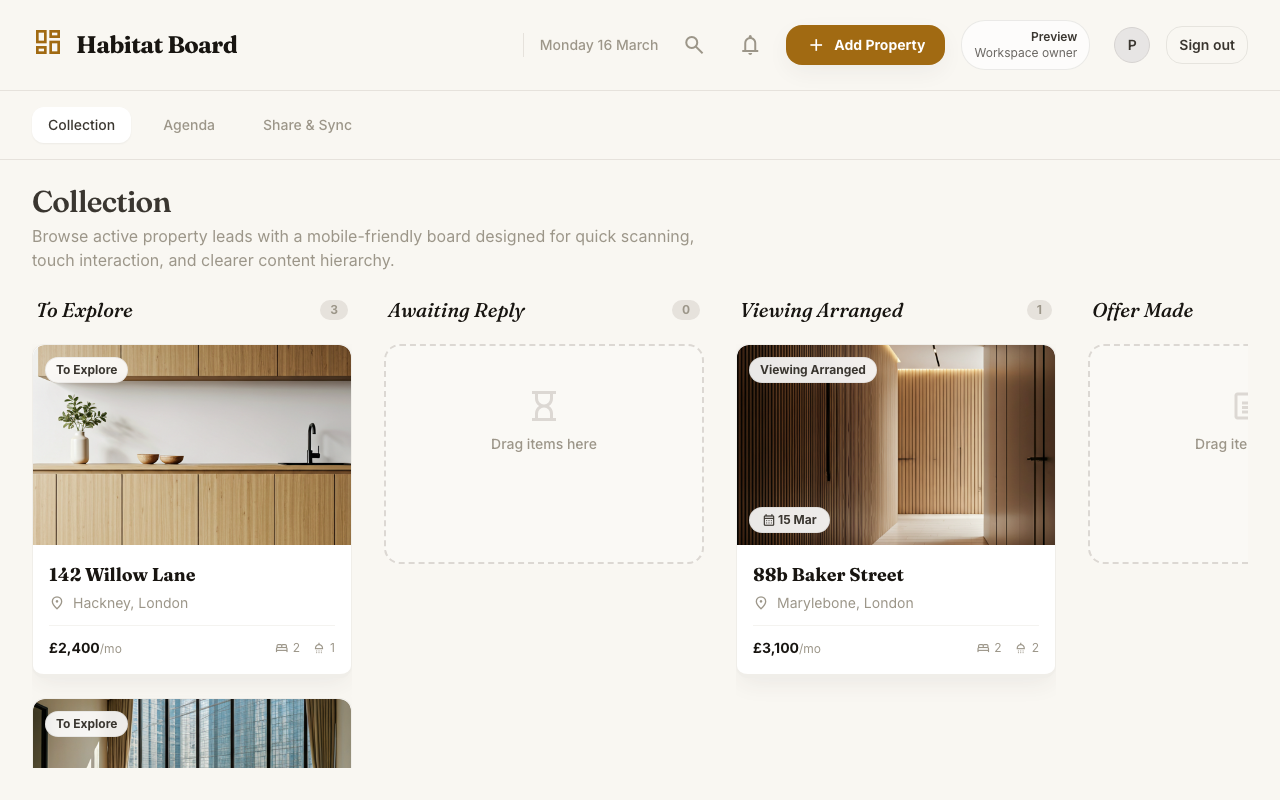
Searching for a home usually means dozens of browser tabs, screenshots in chat, and notes spread across multiple apps.
Habitat Board centralizes your search into one shared property tracker so listings, contacts, appointments, and decisions stay connected.
That means less time repeating what happened on each listing and more time comparing the homes that actually matter. Instead of rebuilding a search workflow in spreadsheets, you can use a board that mirrors the real steps of a property hunt.
Save listings from any portal and keep price history, viewing notes, and property photos in one shared place.
Invite your partner, rate properties together, and move candidates through a visual Kanban workflow.
Track appointments in one place so both of you know what is scheduled, where, and when.
Run your property hunt from a mobile-friendly board built for clarity, speed, and stress-free coordination.
Start a workspace for your home search and invite your partner when you are ready.
Paste listing details, keep photos and notes together, and store every key fact on one card.
Move properties as agents reply, viewings are booked, and offers are discussed.
Review notes together, compare options, and keep every decision visible to both of you.
Built for real property searches
Most property searches get messy as soon as the shortlist starts growing. One person saves links in browser tabs, the other sends screenshots in chat, and useful facts such as deposit amounts, viewing times, and agency names end up scattered across several tools.
Habitat Board keeps the search structured. Each property becomes a single record with the details you need to compare homes fairly, and the board gives you a clear status view of which listings still need action. That makes it easier to follow up quickly, avoid duplicated effort, and understand the state of the search at a glance.
If you want to understand the thinking behind the product, visit the about page. If you want a breakdown of current and planned plans, the pricing page explains the difference. If you want setup guidance and quick answers before you start, the help page is the best place to begin.
Listing links, photos, price history, and property notes stay attached to one card instead of being split across apps.
Viewing schedules stay visible for both partners so appointments and next actions are not lost in calendar clutter.
Comments and reactions remain tied to each property, which makes side-by-side comparison easier when several homes look promising.
The board structure turns a pile of listings into a practical shortlist with clear progress, not just saved links.
Current plan
Perfect for starting your property search with a partner and keeping the workflow simple.
Coming soon
Advanced features for higher-volume or more automated property searches.
FAQ preview
These are the questions that come up most often when people want a better way to coordinate a home search. Habitat Board is meant to replace scattered notes with one shared system that stays usable even when the shortlist gets busy.
It is built around the property-search workflow, not generic rows and columns. Listings, notes, statuses, and viewing details stay connected instead of being improvised across separate tabs.
Yes. Both people can update the same workspace, record viewing impressions, and keep the shortlist visible so decisions do not disappear into chat history.
Yes. The current free plan covers the main search workflow, including the shared workspace, property cards, list organization, and viewing coordination.
You can browse the FAQ, visit the help page for setup guidance, or read the about page for more context on how the product is designed to support shared home searches.
Stop juggling tabs, messages, and notes.
Start with a shared board, keep your shortlist visible, and move faster with one place for listings, viewings, and next actions.
Included